Business operations tier Features

Enterprise features for businesses that need billing, sales, and operational muscle.

Enterprise layers business operations on top of the Pro workspace with invoices, estimates, lead tracking, point of sale, and broader payment-oriented workflows for real-world operations.

POS
Sales tools

Enterprise adds in-person selling and checkout-oriented workflows.

CRM
Lead flow

Track prospects and follow-up work inside the same dashboard.

Billing
Documents

Create invoices, estimates, bids, and client-facing paperwork faster.

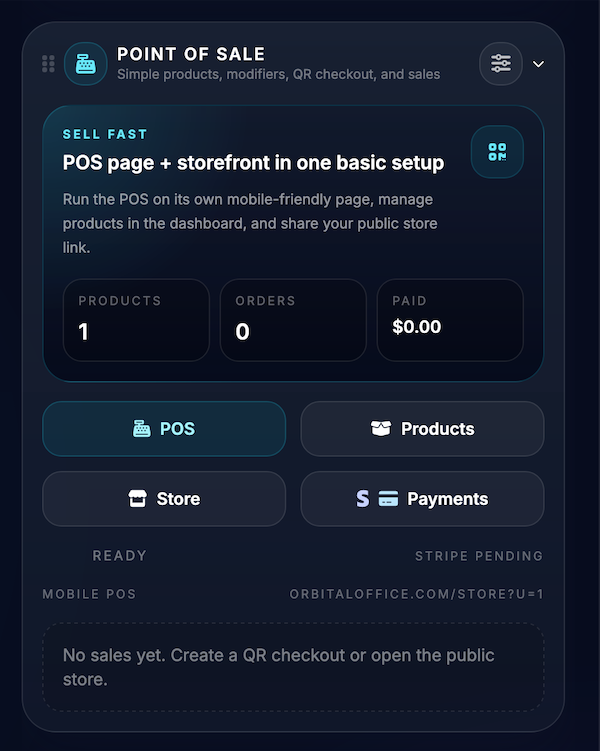
Orbital Office point of sale screenshot
Included tools

What you get in Enterprise

Compare plans
Sales

Point of Sale and online store tools

Enterprise adds sales workflows for in-person transactions, QR payment flow, product handling, and broader checkout behavior.

  • Point of Sale
  • Online store support
  • Product and payment workflows
CRM

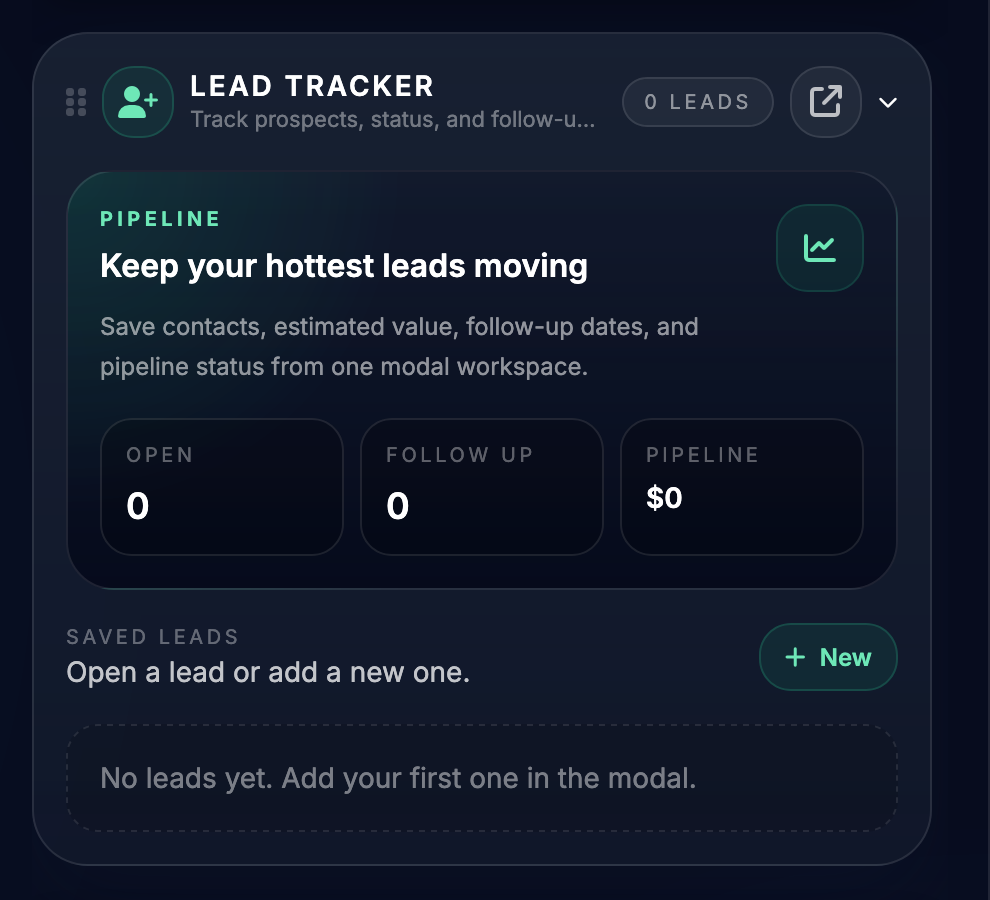
Lead Tracker for pipeline visibility

Manage contacts, follow-up steps, service interest, and estimated value in a cleaner sales workflow.

  • Lead status visibility
  • Follow-up tracking
  • Pipeline organization
Billing

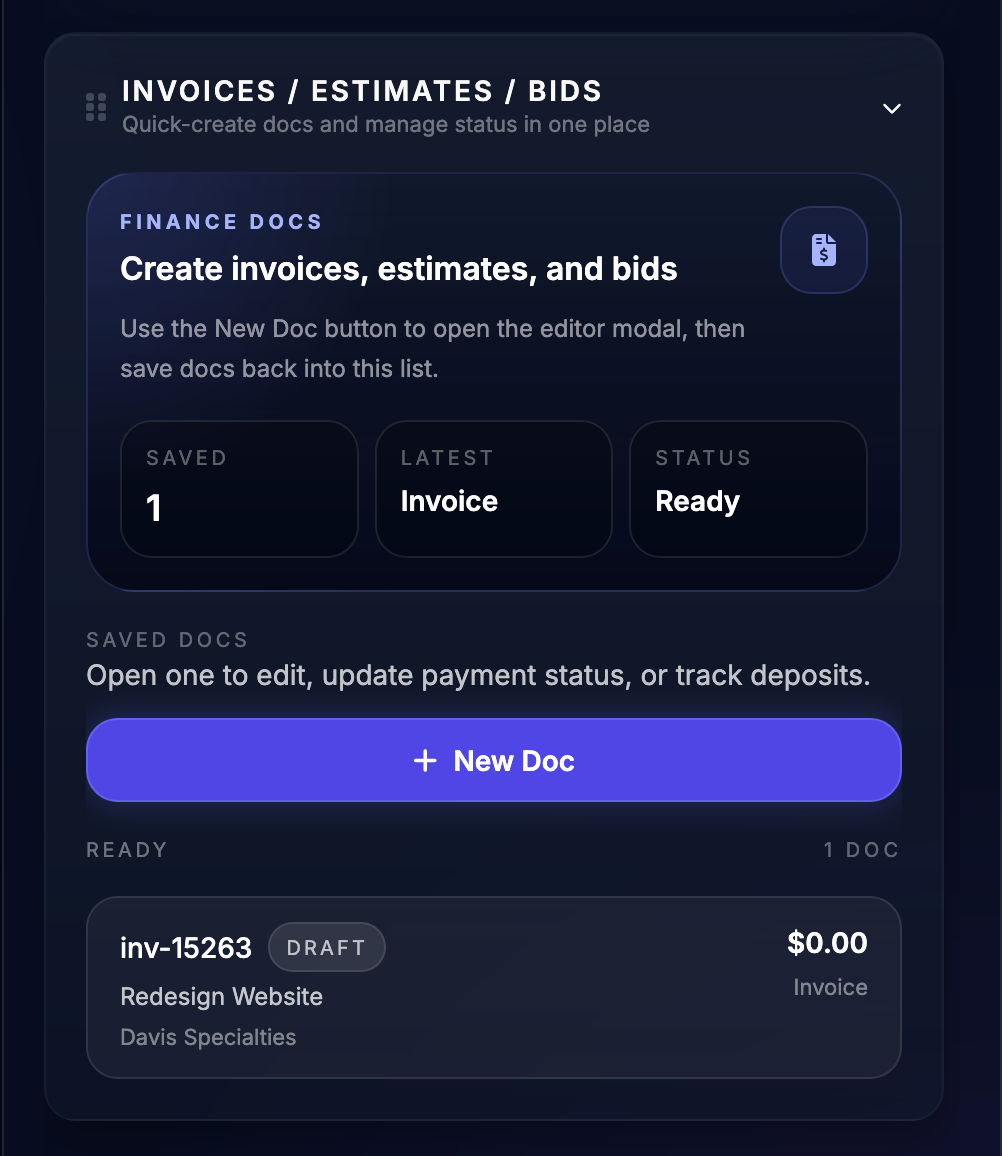
Invoices, estimates, and bids

Generate client-facing financial documents without switching into a separate business app stack.

  • Invoices and estimates
  • Proposal-style bids
  • Payment request support
Operations

Business workflows on top of Pro

Enterprise keeps the Pro productivity layer and adds the operational systems needed by service businesses and sellers.

  • Includes Pro tier capabilities
  • Adds broader business operations
  • Fits more revenue-facing use cases
Payments

Stronger revenue workflows

Enterprise is where Orbital Office becomes more operationally useful for businesses that need to track money movement and customer flow.

  • Checkout-aware features
  • Financial documents
  • Sales and service coordination
Scale

Built for heavier-use businesses

This tier is the fit when the dashboard needs to support both productivity and business execution.

  • More business muscle
  • Better client handling
  • One system instead of scattered tools
Screenshots

Inside the Enterprise workspace

Point of sale screenshot
Point of Sale

Sell, manage checkout flow, and keep product tools inside the main system.

Lead tracker screenshot
Lead Tracker

Track leads and follow-up work in a dedicated CRM-style workflow.

Invoices and estimates screenshot
Invoices, Estimates, and Bids

Handle billing and proposal documents from the dashboard.

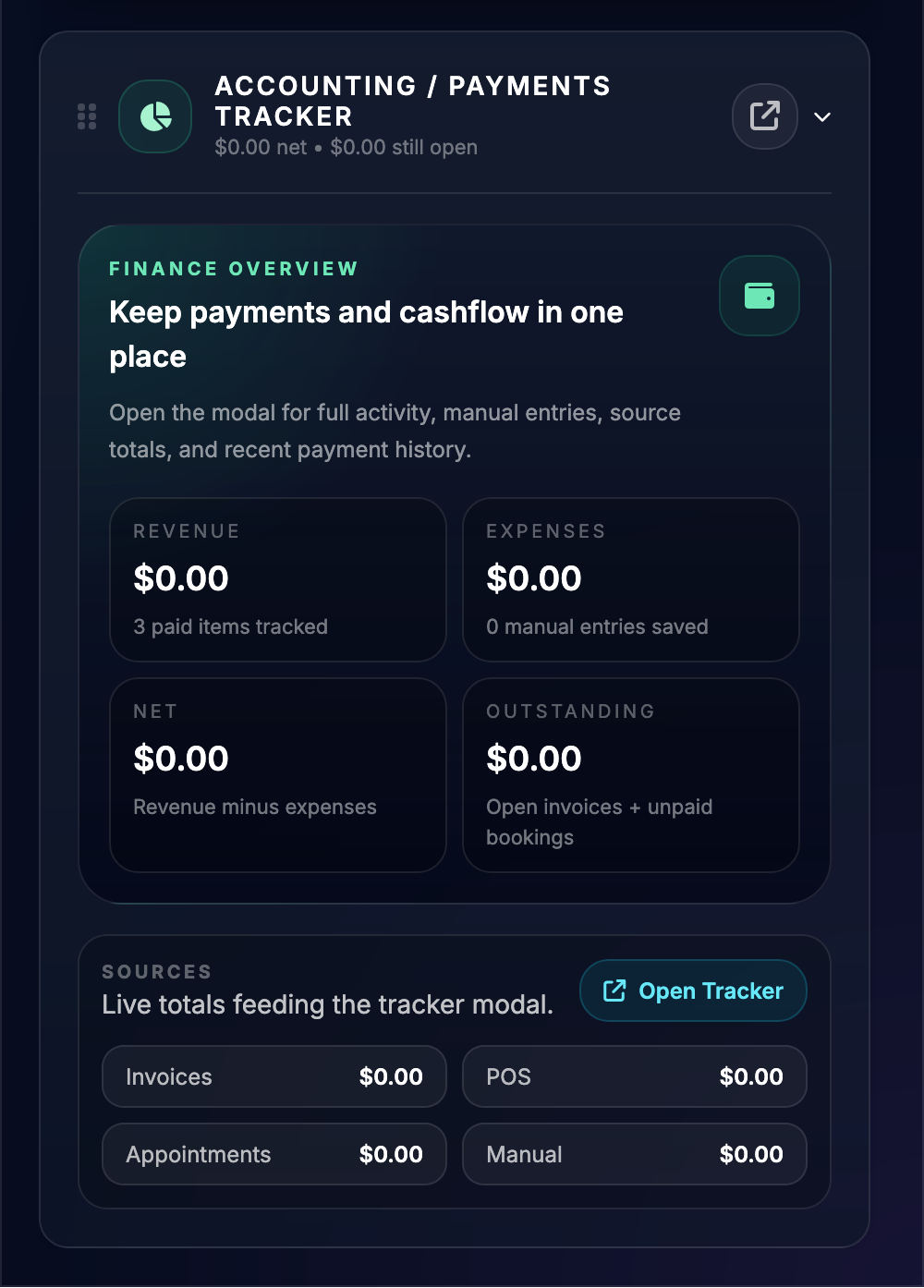
Accounting widget screenshot
Accounting Visibility

Keep an eye on payment-related totals and business flow alongside the rest of the tools.

FAQ

Enterprise questions

Who should choose Enterprise?

Enterprise fits users who need the productivity layer from Pro plus business operations like POS, invoices, lead tracking, and broader payment workflows.

Does Enterprise include Pro features too?

Yes. Enterprise sits on top of Pro, so the AI, booking, spreadsheet, and creation tools remain part of the stack.

Why is an Enterprise page important?

Enterprise buyers usually need more detail before signing up, and a dedicated page helps both search engines and serious evaluators understand the operational toolset.

Can I send ads to this page?

Yes. It works well as a cleaner destination for keywords around invoicing, POS, CRM, and small-business operations.

Orbital Office

Want the whole system in one place?

Browse the tier pages, compare the plan stack, and send visitors straight into the demo or signup flow from a dedicated feature URL instead of hiding everything inside modals.